Reduce LLM costs by nearly 90%: fix the architecture first
How to reduce LLM costs by nearly 90% with specialized agents, caching and fallback models. How I measured it.
Published on 4 min read
- ai agents
- llm costs
- langgraph
- llm
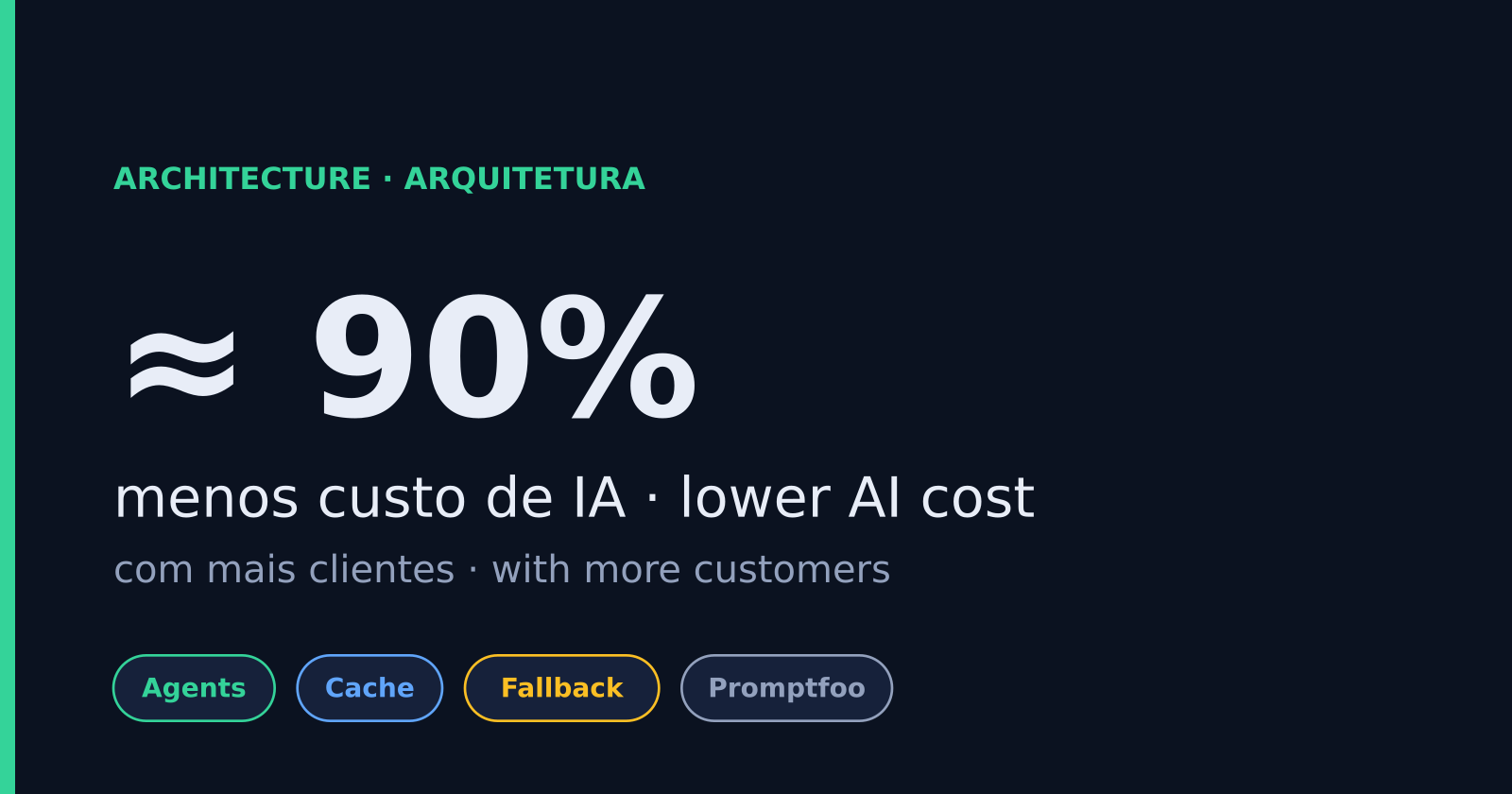
I managed to reduce LLM costs by nearly 90% in a production system while the customer base kept growing. Switching models barely moved the number. The savings came from restructuring the agents, avoiding repeated calls and measuring every decision. Here is what changed, how to measure it, and when it is not worth it.
Why does the AI bill grow faster than the customer base?
Each new customer multiplies model calls, and a badly designed flow burns tokens for nothing. In the system I rebuilt, the flow was almost linear, the prompts were huge and the same errors kept coming back. Every error triggered another call, and every call cost money.
Three signs your LLM bill has the same problem:
- Cost rises with customer count, with no visible gain in quality.
- One giant prompt tries to do everything: understand the request, fetch data, decide and answer.
- When something fails, the system retries with the same model and the same prompt.
What architecture change helps reduce LLM costs by nearly 90%?
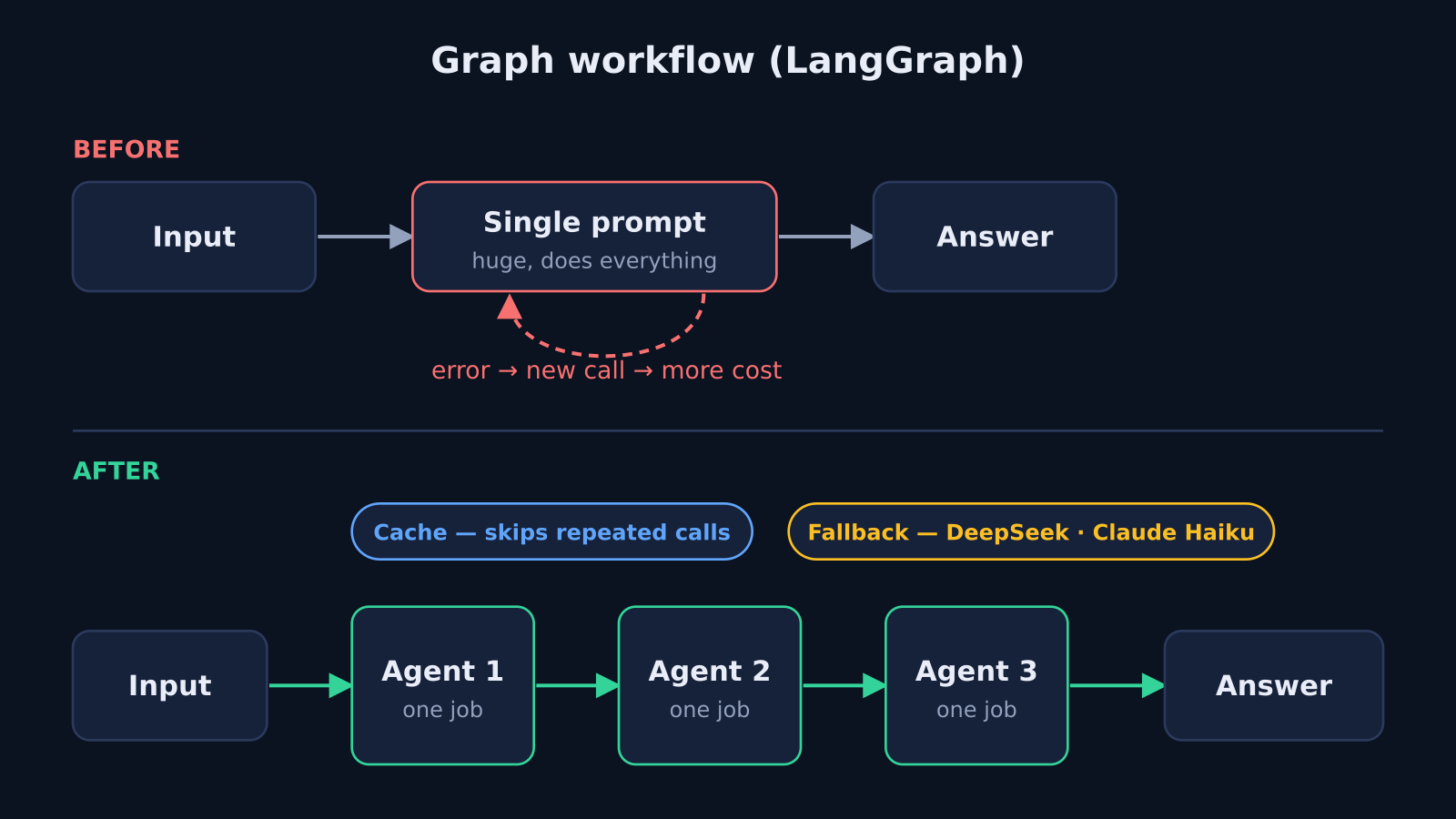
I replaced the linear flow with specialized agents, each with one clear responsibility, orchestrated with LangChain and LangGraph. A specialized agent only receives the context it needs, so prompts shrink and errors become easier to trace. Most of the gain came from this, not from cheaper model pricing.
| Before | After |
|---|---|
| Nearly linear flow | Specialized agents in a graph (LangGraph) |
| Large prompts with everything together | Smaller, specific context per agent |
| Recurring errors with no handling | Fallback models and caching |
| Model swaps by guesswork | Side-by-side tests (Promptfoo) |
LangGraph describes the workflow as a graph: each node is a step or an agent, and the edges define the path. That makes it clear who does what and where the system makes decisions.
How do fallback models and caching reduce calls and errors?
A fallback is a backup model that takes over when the main one fails. A cache stores answers already generated so you do not pay twice for the same work. I used DeepSeek and Claude Haiku as fallback models and added caching to remove unnecessary calls. Both cut cost and make the system more stable.
Two cautions I learned:
- Caching does not fit everything. Answers that depend on changing data (stock, prices, order status) need an expiry rule, or customers get stale information.
- Fallbacks cost money too. If the backup model runs all the time, you only swapped one bill for another. Track how many calls land on the fallback.
I also raised the default token limit. It helped, but it was secondary. Architecture, model choice and call optimization mattered more.
How do you know a cheaper model is good enough?
Test it on your real cases before switching. I used Promptfoo to compare models on efficiency and response time with the same inputs. The decision stops being an opinion and becomes data: a cheaper model only goes where it passes the test.
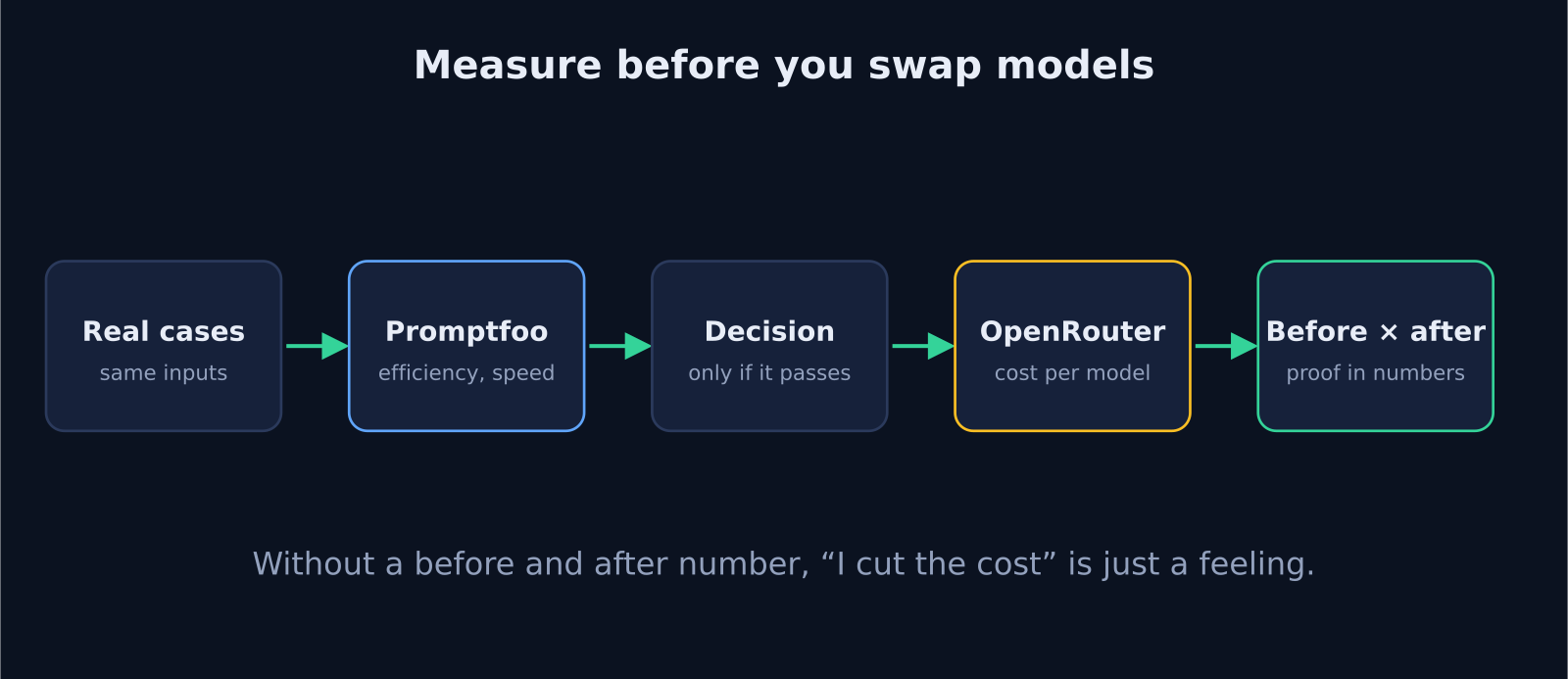
To measure savings, spend runs through OpenRouter, which shows cost per model. Without a before and after number, "I reduced the cost" is just a feeling. Track at least three things:
- Total monthly cost and cost per customer served.
- Response time per agent.
- Error rate and how many calls fall back to the backup model.
When is this rebuild not worth it?
If your AI bill is small and stable, the cost of restructuring exceeds the savings. This work pays off when spend grows with the customer base, when errors keep recurring, or when the system relies on a single oversized prompt. Before touching anything, measure current spend and find where it concentrates.
A safe order to start:
- Measure the cost of each step in the flow.
- Split the largest prompt into agents with one job each.
- Add caching where the answer does not change.
- Pick a fallback model and test it on real data.
Frequently asked questions
Can I cut LLM costs just by switching to a cheaper model?
Sometimes, but the gain is usually small. In my case most of the savings came from architecture and fewer calls. Swapping models without testing can also hurt quality and create rework.
What is a specialized agent?
A step in the system with a single job, such as understanding the request or looking up one piece of data, with the minimum context for it. Instead of one giant prompt, you have several small ones that are easy to test.
Do I need LangChain and LangGraph?
No. They are the tools I used. The principle holds with others: split the flow into steps with clear responsibility, then measure and test each one.
Next step
If your company's AI bill grows faster than revenue, look at the flow design before the model price. Tell me about your case through the contact section and I will look at where the spend sits.
Want to apply this in your business?
Tell me about your operation and I'll reply with next steps. No strings attached.
Message me on WhatsAppOr leave your details and I'll get back to you
Keep reading
4 min read
AI landing page builder vs developer: which to choose?
AI landing page builder vs developer: when the tool is enough and when speed, SEO and tracking call for custom code.
Read article5 min read
Off-the-shelf ERP vs custom software: how to decide
Off-the-shelf ERP vs custom software: when each one pays off, and how to integrate through the ERP's API to build only what is missing.
Read article